Software advice
Best AI Childcare Management Software in 2026
AI childcare management software is a web and mobile application that nurseries, preschools and child care centers use to run enrollment, attendance, daily reports, parent messaging, staff scheduling and tuition billing, with AI features such as drafted parent messages, rota proposals or daily summaries. It is not a children's learning app or a pure payroll package.

Quick answer
Famly ranks first for printed prices, a stated Frankfurt hosting location and listed ISO certificates. Beenest suits small centers that want every feature free and pay only for AI credits. OWNA fits Australian centers that want AI rostering with out-of-ratio alerts.
A nursery owner or center director comparing these tools meets two problems at once. The pitch pages say AI, yet the pages we read describe a concrete AI feature for fewer than half the vendors, and several print no price. Children's records are also sensitive, so hosting and certifications matter more here than in most software. This ranking weighs printed prices, named AI features, stated data locations, security evidence and how plainly each vendor says who its product serves. We read vendor pages in November 2026 and ran none of the tools, so claims about speed or accuracy remain the vendors' own.
The 12 best AI childcare management software in 2026, ranked
There is no score. Vendors can pay for more visibility on this website, for example a higher place in a ranking or more room on a page. Commercial relationships can also affect which products we feature and how prominently. How we rank.
| # | Tool | Best for | Free plan | Entry price |
|---|---|---|---|---|
| 1 | Famly | Nurseries and preschools in the UK and Europe that want published monthly prices and a stated hosting location | No | £79 per month (Foundation, excl. VAT) |
| 2 | Beenest | Small centers that want every feature free and will pay only for heavier AI drafting | Yes | $0 (Free plan, 200 one-time AI credits) |
| 3 | OWNA | Australian early learning centers that need subsidy submissions, rostering and compliance in one subscription | Trial | From $89 per month (Lite) |
| 4 | Kinderpedia | Nurseries and small schools that want euro pricing with stated seat, storage and newsletter limits | Trial | €49 per center per month, billed annually |
| 5 | Tapestry | UK early years settings that want a low flat annual price for observations and learning journals | Trial | £68 per year excl. VAT (smallest package) |
| 6 | illumine | Preschool and after-school operators that value third-party audited security and curriculum framework coverage | Trial | Not published (plans shown only in a comparison table) |
| 7 | Storypark | Early learning programs focused on documenting learning stories and engaging families | Trial | $1.59 USD starting price per child per month |
| 8 | Kindertap | Small schools and kindergartens in Europe that need parent forms and electronic signature | Yes | Free plan (Premium price shown only after registration) |
| 9 | ChildPilot | US child care centers that want lead tracking, registration and parent billing with AI daily summaries | No | Custom quote (no published price) |
| 10 | Brightwheel | US child care programs that want enrollment, payments and a security page naming PCI Level 1 | No | Not published (pricing page shows printable resources) |
| 11 | Kangarootime | US after-school and child care programs that want enrollment, billing and custody tracking in one system | No | Not published (pricing page returned an error) |
| 12 | Lillio | Home-based providers and centers in North America that want attendance, billing and lesson plans in one app | Trial | Not published (pricing page returned an error) |
- 1
Famly ranks first because a nursery manager can price it, check where the data sits and see where the AI starts, all from public pages. Three packages are printed at £79, £159 and £209 a month, backups run in a second country, and ISO 27001 and 27701 are listed. The AI detail is thin: Sidekick is named, nothing more.
Strong on
- Three packages with printed monthly prices and an annual saving shown on the same page
- Data is stored in a Frankfurt AWS center with backups in Switzerland, and ISO 27001 and 27701 are listed
- Staff rotas with automatic ratio checks and batch invoicing arrive on the upper tiers
Weak on
- The pages describe the built-in AI only in general terms, apart from the Sidekick writing assistant
- The public API is an add-on on all three published packages, and prices are per setting
Skip it if: Single-site owners who want invoicing and rotas on the cheapest plan, since both start on Professional. Prices exclude 20% VAT and show monthly; Professional at £209 adds invoicing, rotas and built-in AI.
- 2
Beenest takes second place because its pricing is the most unusual here: all features are free, and only AI work is metered by credits. The AI is concrete, covering rota proposals, parent message drafts and a data check on outgoing texts. The vendor's legal entity and hosting region are not stated, which holds it below Famly.
Strong on
- All features are free for every center size, with AI paid through monthly credit bundles
- AI drafts parent messages for staff review and proposes the staff rota
- Reports export in the format that providers and authorities request
Weak on
- The privacy page is an unfinished template, so data practices cannot be read from it
- An API route and an MCP server are paid setup services at $59 each
Skip it if: Operators that need a named legal entity, certifications or a stated hosting region before loading children's records. Every feature is free. AI work runs on credits, with bundles at $39, $59 and $99 per center monthly.
- 3
OWNA sits third because its AI claim is specific: predictive rostering with out-of-ratio alerts. Data stays in Australian Azure centers, and a company number is published. Two conflicting price sets on a single pricing page and an Australia-centered feature list keep it behind the two tools above for buyers in other countries, even with a free trial on Lite.
Strong on
- Predictive rostering names AI directly and pairs it with out-of-ratio alerts
- Data is stated to stay in Australian Microsoft Azure data centers
- Child Care Subsidy submissions run from the same system as billing and parent payments
Weak on
- Two sets of Lite and Premium prices appear on one page without a label
- HR and payroll costs $8 per employee per month on top of the plan
Skip it if: Centers outside Australia, since subsidy handling, hosting and the feature list are built around the Australian market. The page shows two Lite price sets, from $89 and $99, without saying which is annual.
- 4
Kinderpedia ranks fourth because limits and prices are all on the page: seats, roles, storage and newsletter sends for each of three tiers, in euros. The home page calls the product AI powered and a Kinderpedia AI entry exists, yet no feature detail was readable. Hosting and the maker are not stated on the pages read, and the trial terms were not checked.
Strong on
- Three tiers carry printed euro prices, seat counts and cloud storage sizes
- Admissions CRM, timetable and weekly menu planner sit beside attendance and daily logs
- Custom API integration is listed on the Professional tier
Weak on
- The AI feature is named in the menu but its detail was not on the pages read
- Hosting region, certifications and legal entity are not stated
Skip it if: Buyers who need the AI described in writing before purchase, because the vendor's own pages stay vague on it. Starter is €49 billed annually or €61 monthly. Essentials is €99 and Professional €199 on annual billing.
- 5
Tapestry takes fifth place for pricing clarity and maker transparency: a UK company is named and five annual bands run from £68 to £900. Every band includes every tool. The pages read name no AI feature at all, so it ranks below the tools that state one, however tidy its price list is, and its hosting region is not stated.
Strong on
- Annual cost depends only on package size, and every band includes every tool
- Observations with flags feed an Areas of Concern screen across the EYFS areas
- Xero and QuickBooks integrations are listed for the accounts side of a setting
Weak on
- No AI feature is named on the pages read
- Hosting region and certifications are not stated, and child counts per band were not read
Skip it if: Providers that want AI writing help or automated drafts, since none are named. Price follows package size. Five annual bands run from £68 to £900, each including all tools.
- 6
illumine ranks sixth because its security evidence is strong: a SOC 2 Type II report with an audit period stated. AI is claimed on the home page for learning tools and communication, but no feature detail was read. No prices are printed, which keeps it below the tools that print them, and a prospect must request the plan comparison.
Strong on
- A SOC 2 Type II report is stated, with the audit period and the report available on request
- Real-time messaging offers translation across more than 20 languages for families
- Lesson plans integrate with more than 50 curriculum frameworks, per the home page
Weak on
- No plan prices are readable on the pages read
- The country of the company is not stated, only a company number
Skip it if: Buyers who need a price before a sales call, since the pricing page asks to compare plans. Prices are not readable on the pages read. A pricing page offers a plan comparison and an Enterprise tier.
- 7
Storypark ranks seventh because it prints a per-child starting price and offers a free trial, but its AI position is unclear. The home page has a Responsible AI heading while the linked page was not read. Learning stories and family engagement are its core, so it suits documentation more than back-office work such as rotas or payroll.
Strong on
- A per-child starting price is shown, plus free access for families
- Learning stories and developmental planning sit at the center of the product
- Switchers get free online training and data migration support
Weak on
- No AI feature is described on the pages read
- Only a starting price is readable, not the full tier list
Skip it if: Providers that want rostering, rota planning or deeper staff tools from one vendor. A starting price per child plus a trial; other tiers were not readable, so cost scales with enrollment.
- 8
Kindertap sits eighth as a narrow tool: calendars, forms, surveys and messages with an eIDAS electronic signature. It stands out for a free plan with no expiry and an ISO 27001 listing with 27017 and 27018 extensions. No AI feature is named, so it ranks below tools that name one, and billing is not described.
Strong on
- A free plan is described as free forever for small numbers of children
- Advanced electronic signature is described as valid under the EU eIDAS regulation
- ISO 9001 and ISO/IEC 27001 are listed on the home page
Weak on
- No AI feature is named on the pages read
- The Premium price appears only after registration in a configurator
Skip it if: Centers that need billing, attendance and daily logs, since the pages read describe forms and communication tools. The Free plan has no expiry. Premium adds calendars with access criteria, forms and surveys and an advanced electronic signature.
- 9
ChildPilot ranks ninth because a named AI tool, daily summaries and insights for directors, sits beside a full lead-to-billing flow. Pricing is quote only, though the vendor says month-to-month without long contracts and with free onboarding. Hosting, certifications and the company's country are not stated, which holds it below the tools above it in this ranking.
Strong on
- AI tools for directors produce daily summaries and insights each day
- Lead pipeline, tour scheduling and digital registration with e-signature are included
- Month-to-month terms and free onboarding, training and support are stated
Weak on
- No price is published, only a free quote request form
- Hosting region and certifications are not stated on the pages read
Skip it if: Buyers who need a price to budget against before talking to sales. Pricing is quote based, month to month with free onboarding, training and support. The page names no tiers.
- 10
Brightwheel ranks tenth because the pages read show enrollment, CRM and payments but no plan prices. Its only named AI is a help assistant that finds answers rather than a feature for classrooms or directors. Payments run through a PCI Level 1 processor and TX-RAMP controls are listed, which is a useful security note for finance staff.
Strong on
- Payments use a PCI Level 1 provider, so bank details are not stored by the vendor
- TX-RAMP certified controls and two-factor authentication are stated
- CRM and enrollment forecasting sit beside invoicing and payments
Weak on
- Plan prices could not be read on the pages read
- The named AI is a help-content assistant, not a classroom or admin feature
Skip it if: Directors wanting AI in daily operations, since the named AI covers help search only. The pricing page read lists only printable resources, so plan prices could not be read.
- 11
Kangarootime ranks eleventh because its module list is broad (enrollment, leads, billing, custody tracking, scheduling) but the pages read give no price and name no AI. The only privacy page read is a generic website policy, so product data handling is unknown, and that gap decides its place near the bottom of this ranking for now.
Strong on
- Custody tracking for families sits beside enrollment, billing and scheduling
- Lead management covers prospective families before they enroll, then hands over to billing
- The Connect app gives parents photos, videos, daily logs and messages
Weak on
- No price and no AI feature appear on the pages read
- The privacy page read describes the website, not the product
Skip it if: Buyers who want a published price or a named AI feature. No price was readable on the pages read, because the pricing URL returned a 404.
- 12
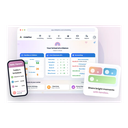
Lillio ranks last of the twelve because the pages read show no price and name no AI. Its range is wide, covering home-based providers, centers and multi-site programs, with standards-aligned lesson plans. Operation from the United States and Canada is the only location fact stated, so the rest of its data handling is unknown and should be asked about.
Strong on
- Attendance, billing and family communication run in one app
- Lesson plans are aligned to standards across North America
- Free templates are offered for early childhood programs
Weak on
- No price and no AI feature could be read on the vendor pages
- Hosting region and certifications are not stated on the pages read
Skip it if: Buyers outside North America or anyone who needs an AI feature named in writing. No plan price was readable on the pages read. The privacy policy describes operation from the United States and Canada.










How these AI childcare management software were judged
How much real AI do childcare management tools include?
Less than the headlines suggest. Beenest describes the most concrete set: AI that proposes the staff rota, drafts parent messages for a staff member to approve, and checks outgoing text. OWNA names predictive rostering with out-of-ratio alerts, and ChildPilot names daily summaries and insights for directors. Famly names a Sidekick writing assistant and describes its Professional plan as having built-in AI, without detail. Kinderpedia and illumine claim AI on their home pages, yet we read no feature description. Brightwheel names only a help assistant. Tapestry, Storypark, Kindertap, Kangarootime and Lillio name no AI. Ask each vendor to show one AI output on a sample center, and judge the product on records and billing if the demo shows nothing.
What does childcare management software cost in 2026?
Cost depends on how the vendor counts. As of November 2026, Famly lists £79, £159 and £209 a month per setting excluding VAT, Kinderpedia lists €49, €99 and €199 per center on annual billing, and Tapestry runs from £68 to £900 a year by package size. Storypark shows a starting price of $1.59 per child a month. OWNA shows two price sets for Lite, from $89 or $99, without saying which is annual. Beenest is free, with AI credits at $39, $59 or $99 a month per center. Brightwheel, Kangarootime, Lillio, illumine and ChildPilot published no readable price. Compare per center, per child and per year.
Where is children's data stored and who can see it?
Records about children deserve a written answer, and the vendors differ widely. Famly names a Frankfurt AWS center with Swiss backups and lists ISO 27001 and 27701. OWNA states that data stays in Australian Azure centers. illumine lists a SOC 2 Type II report on request and Google Cloud infrastructure. Kindertap lists ISO 27001 with 27017 and 27018, and Brightwheel lists TX-RAMP controls and PCI Level 1 payments. Tapestry, Storypark, Kinderpedia, Kangarootime, Lillio and ChildPilot did not state a hosting region on the pages we read. No vendor stated whether customer data trains AI models, so ask in writing, and keep the reply with the contract.
How hard is it to change childcare software later?
Switching is hard because enrollment history, observations and billing balances all live in one system. Famly, Kinderpedia, OWNA and Beenest mention APIs, but Famly sells its public API as an add-on, Kinderpedia keeps custom API integration for Professional, OWNA reserves it for Enterprise, and Beenest charges $59 for setup. Storypark offers data migration help to switchers. Billing cycles matter too: Kinderpedia discounts annual billing and Famly shows annual savings. Before signing, export one month of attendance, invoices and observations, check what survives, and ask what happens to children's records after cancellation and how long deletion takes.
Which childcare management tool fits which setting?
Match the tool to the regulator and market first. UK nurseries look at Famly or Tapestry, and Australian centers look at OWNA or Storypark. Small European schools that need signed forms look at Kindertap, and Romanian or euro-priced nurseries look at Kinderpedia. Operators with no software budget look at Beenest. US centers with tour and lead management look at ChildPilot, Brightwheel or Kangarootime, while home-based providers across North America look at Lillio. Programs with strict audit needs look at illumine. Count children, sites and staff before requesting quotes, because per-child and per-center pricing change the total.
How to choose an AI childcare management software in three steps
- Write down your regulator and your billing model. Start with the rules you operate under, such as UK EYFS records, Australian subsidy submissions or US tuition billing, and how parents pay. Then read each vendor's feature list for those items by name. Famly lists Tax-Free Childcare, OWNA lists subsidy submissions, and Kinderpedia lists online payments on its middle tier. A tool built for one country's rules will feel clumsy in another. Drop mismatches before any demo, and keep the calls for the three tools that remain after that cut.
- Ask to see the AI on a sample day. Request one real example from a center like yours, such as a drafted parent message, a rota proposal or a daily summary. Note who approves the output before it reaches families. Beenest describes staff review of drafts, and Famly's Sidekick is a writing assistant. Also ask which model provider processes the text and whether child names are sent. If the vendor can only show slides, treat the AI claim as unproven and judge the tool on records, ratios and billing.
- Test export, backups and deletion before paying. Load a small group of children into a trial and export attendance, invoices and observations again. Check what is lost. Then ask where backups sit and how long records stay after you cancel. Famly names a second country for backups, and illumine offers its SOC 2 report on request. Get deletion terms in writing, since children's records often fall under national retention rules that your own policy must follow, and ask who at the vendor can open a child's profile for support.
Frequently asked questions
What is the best AI childcare management software in 2026?
Famly ranks first here because it prints three package prices, names a Frankfurt hosting location with Swiss backups and lists ISO 27001 and 27701. Beenest is the pick for centers that want every feature free and pay only for AI credits, and OWNA suits Australian centers that want predictive rostering with out-of-ratio alerts.
Which childcare management tools actually name an AI feature?
On the pages we read, Beenest names rota proposals, drafted parent messages and a text check. OWNA names predictive rostering, ChildPilot names daily summaries, Famly names Sidekick, and Brightwheel names a help assistant. Kinderpedia and illumine claim AI on their home pages without feature detail. Tapestry, Storypark, Kindertap, Kangarootime and Lillio name none.
Is there free childcare management software?
Two tools offer a free plan. Beenest states that every feature is free for every center size, with AI work paid through credits, and Kindertap offers a free plan with no expiry for forms, calendars and messages. Storypark, Tapestry, Kinderpedia, OWNA and illumine offer trials, so check what a trial includes before moving real records in.
How much does nursery software cost per child or per center?
Storypark shows a starting price of $1.59 per child a month. Kinderpedia charges per center, from €49 a month on annual billing, and Famly charges per setting, from £79 a month excluding VAT. Tapestry bands run from £68 to £900 a year by child count. Request a written quote for your own numbers.
Which tools suit nurseries in the UK or Europe?
Famly lists Tax-Free Childcare and a Frankfurt data center, and Tapestry names a UK maker with EYFS observation tools. Kinderpedia prices in euros, and Kindertap, run by an Italian company, lists eIDAS signatures. Most other vendors did not state a hosting region, so confirm the data location in writing before loading records.
Does any vendor say whether children's data trains AI models?
None of the pages we read stated it. Famly, Beenest, OWNA, illumine and ChildPilot describe data storage or encryption, but not model training. Ask each vendor whether child names, photos or observations are sent to an AI provider, and get the answer in the contract rather than a sales email.
Can I run childcare software without mobile coverage or an app?
The pages we read mostly describe parent and staff apps, and none stated offline behavior. Famly, Kinderpedia, Brightwheel and Tapestry mention mobile apps or parent apps. Test a trial on the device and network your staff use in rooms and outdoor areas before paying for a full year.
Should a single small nursery choose an enterprise platform?
Usually not. Famly's Custom plan applies from 10 sites and OWNA's Enterprise tier is quote only, so a single setting gets more from a printed-price plan. Famly's Foundation, Kinderpedia's Starter or Tapestry's smallest band cover the basics, and Beenest's free plan costs nothing to try.